
Visitor
A short briefing on the rules for moving around the site and a signature on a tablet. Done in a minute at reception, and the confirmation is tied to the person, not to a sheet of paper.
A signed sheet in a drawer is impossible to find and no one tracks when it expired. This does the same job — for visitors, suppliers and your own people — but with validity, languages and a traceable confirmation.
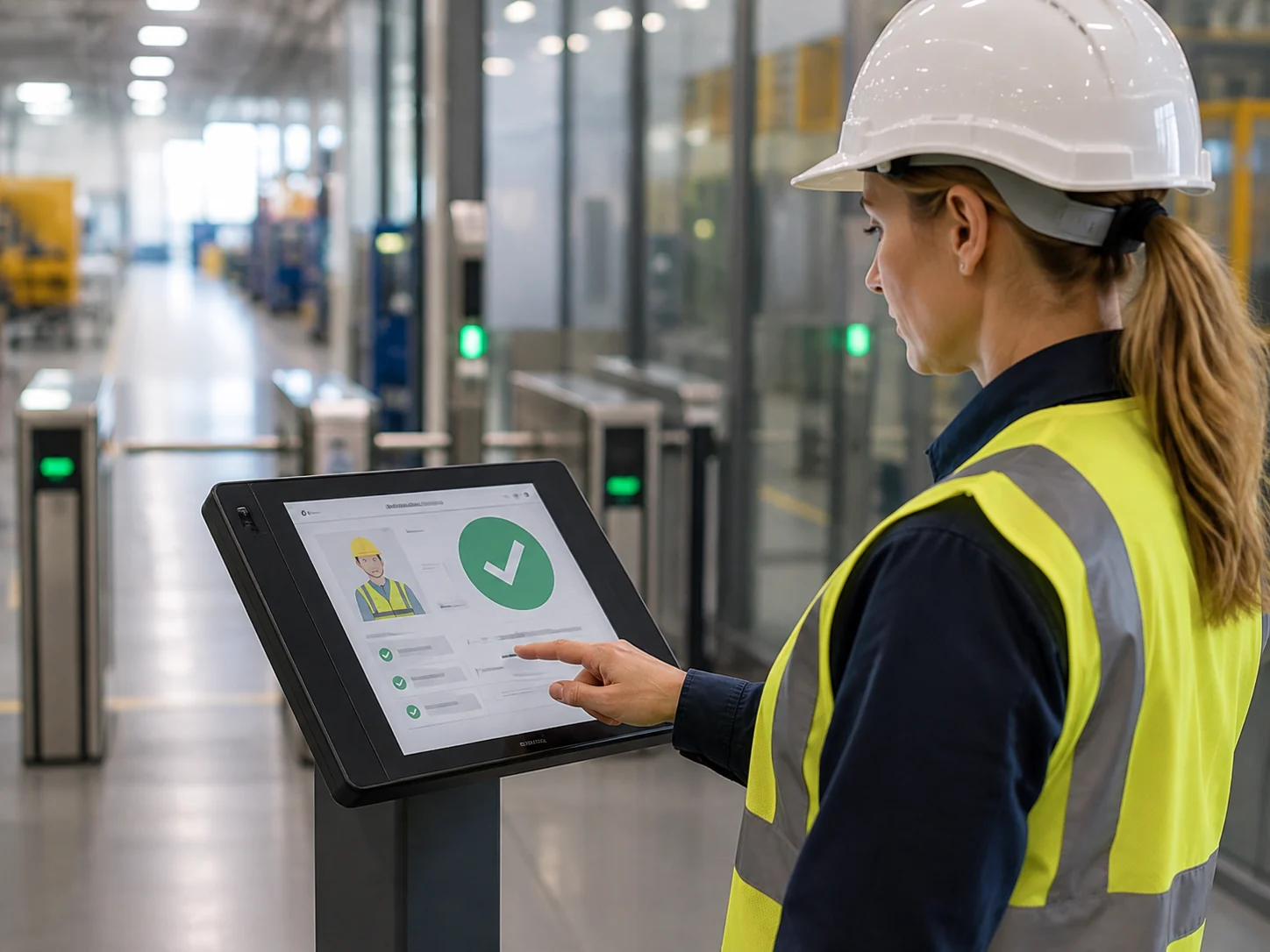
Any gatehouse can walk someone through the rules. The trouble starts a year later, when you have to prove it happened — who signed, when, in which language and whether it still holds.
The module covers everyone who enters the site — visitors, suppliers, drivers and your own employees. For external people it is a briefing before entry; for employees, training that recurs. The same records hold both, because in terms of proof it is one and the same problem.
The briefing is created directly in the records. The person signs on a tablet or passes a test on a training PC, the system records the validity and generates a PDF confirmation with their details, the declaration text and the signature.
On the next arrival the validity is checked automatically. If something is missing, the operator sees it before letting the person in. The module is sold separately and works even where you handle visitor records differently or not at all.
Whether you call it digitalising health and safety or simply electronic records of training and briefings, we solve one specific thing: proof. You supply the content of the rules — we are not a training provider and we do not replace your safety officer. We supply the tool that presents the briefing in the right language, collects the signature, tracks the validity of the training and issues the document whenever it is needed later. For visitors at the kiosk, u suppliers processed by staff and employees alike.
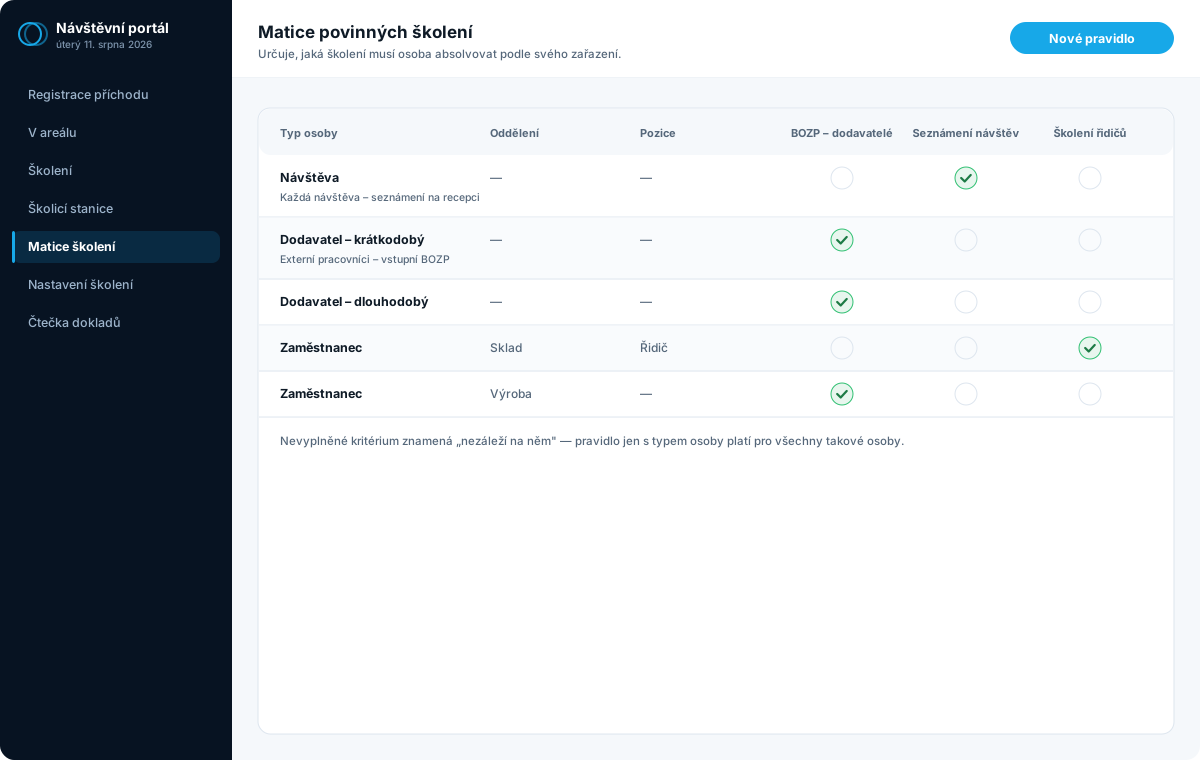
The scope differs, the records don't. A rule is built from person type, department and role — so the same tool covers a one-off visitor and a warehouse worker's recurring training.
A short briefing on the rules for moving around the site and a signature on a tablet. Done in a minute at reception, and the confirmation is tied to the person, not to a sheet of paper.
A fuller training session with a test, because they work on the site. The validity is tracked and checks itself on the next arrival.
Training that recurs and differs by role — one for the warehouse, another for drivers. The overview shows whose validity is running out before it does.
They differ in length and in where they take place. Both end with a signature and a confirmation.
A short briefing on the rules for moving around the site. The operator ticks which briefings apply, the person signs on the tablet, and a confirmation is issued for every selected briefing at once.
A full training session with a step-by-step presentation and a multiple-choice test. The pass threshold is configurable, and a failed test can be retaken. Once passed, the person signs right at the station.
The operator doesn't decide what's mandatory — a matrix does, based on how the person is classified.
You define in advance which briefings apply to which person type, department and role.
On arrival the system checks what the person has and what is missing or expired.
For each missing briefing, the operator sets the language and where it will be completed.
On the training PC the presentation runs in parts — images, video and PDF.
Multiple-choice questions, scoring against a pass threshold, and the option to retake.
A declaration and a signature. Without it, the briefing can't be completed.
A PDF for each briefing and the validity written into the records.
The signature area runs right in the browser and works with a finger, a pen or a mouse. So on a touchscreen or a pen tablet you sign with nothing extra — there is nothing to install.
Signature pads with their own display are a different matter. They speak through their manufacturer's library and a browser can't reach them by design, so a small program on that computer handles them. We support Wacom STU and signotec (the Sigma range), and the program detects on its own which pad is currently connected.
The declaration text appears on the pad's display and the person signs directly on it. Between signatures, the pad can show your welcome screen — a logo or a greeting.
The gatehouse and the training PC don't have to use the same brand; each location detects its own. Adding another brand is a change only in that program — the web part stays the same.
The whole module is a web application — nothing to install, and the interface adapts to the display. At reception you usually work on a desktop, signing is handled on a tablet, and the training station runs on an ordinary PC in the browser's full-screen mode.
The station isn't tied to one type of device: its address opens on a tablet you hand to the person, too. Content management and overviews open from anywhere — even from your phone on the way out of a meeting.
The exception is USB hardware — a signature pad with its own display needs a computer. On a tablet or phone you sign with a finger straight on the display, so nothing is missing; it's just done differently.

Presentations, test questions and materials are created and edited directly in the web administration. You upload images, video or PDF, assemble the presentation's parts and write the questions, marking the correct answers.
If you already have a briefing prepared elsewhere, it can be uploaded all at once from a ZIP archive — the slides become presentation parts and a test is built from the included file.
Each language is a separate briefing with its own presentation and test, but they stay together: at registration it is offered once, and the operator picks the language for it.
We deliver the safety briefing and the entire kiosk interface in several languages — typically Czech, English, German and Polish, and, depending on your workforce, others (Russian, Ukrainian, Romanian and less common languages). Adding a language is a matter of a language pack, not a change to the program.
Each language has its own content attachment for the briefing, so it doesn't rely on a foreigner “somehow getting” the Czech text. If a content version is missing, the system automatically falls back to English, and we add the language on request.
And above all: completing it in any language counts as done across all languages. Someone who took the Ukrainian version doesn't have to do the Czech one — and in the overview it shows as one valid briefing.
You do. The briefing content is your responsibility and tends to differ for each operation — we provide the system that presents it, verifies it with a test, has it signed and stores the record. We can help with filling it in, but the text must be approved by your safety officer.
No. You can sign with a finger on a touchscreen or with a pen on an ordinary tablet — nothing extra is needed there. If you want a pad with its own display, we support both Wacom STU and signotec, and the program at the gatehouse detects on its own which one is connected. The gatehouse and the training PC can happily use different brands.
No. For the short briefing at reception, people simply sign. A test makes sense for suppliers and employees, where you need to prove the person understood the content — and it's set per briefing type, not across the board.
Each language is a separate variant with its own presentation and test. Completing any variant counts for all — someone who took the English version doesn't have to do the Czech one.
Yes, the module is sold separately and runs on its own. Many customers tackle the briefing first, because audits push for it, and add visitor records later.
Yes, in the matrix employees are the same person type as anyone else — they just have their own rules by department and role. The system tracks validity and shows in the overview whose is running out. Your safety officer sets the content and the interval; we supply the records and the proof.
Yes. You create the briefing type yourself — this is also how people commonly handle briefings on personal-data processing, site movement rules or driver training. The module's name comes from what it is used for most often.
By connecting to the visitor management system. Then the validity is checked right at arrival registration and the operator sees what the person is missing. Without the connection, the briefing is entered separately.
Describe how things work at your site today. We'll come back with a proposed scope and a price — or start by building your specification in the configurator.