
Dock scheduling
A dock calendar in 15-minute slots, rescheduling by drag and drop, overbooking made visible. Public pre-registration for carriers with no accounts to create.
The queue at the gate is not created by the barrier but by planning. When deliveries are run by Excel and phone, five trucks arrive at once and four of them wait. The fix is a process: slot, queue, call, dock.
In most sites, deliveries are planned in Excel and over the phone. A carrier calls, someone says "come in the morning", five trucks arrive at once and four of them sit on the parking lot for two hours. Nobody knows exactly how long, because it is not recorded anywhere.
Yet you pay for the delay — in idle docks, warehouse overtime and carrier relationships. The first step is therefore not another barrier but measurement: when the vehicle arrived, how long it waited, how long it stood at the dock.
That is exactly what the Logistics module does — Yard Management on top of our e-Vrátnice. Nobody keeps the status by hand: it is derived from the sequence of events from entry to exit, so the numbers are real, not copied.
Five steps where most of the phoning happens today. The system handles them without a dispatcher and remembers the time of each.
On a public page the carrier picks a day and a window sized to the load. No account, no phone call; the logistics planner approves the request by dragging it onto a dock.
The camera reads the licence plate and the system matches the vehicle to the planned delivery by itself. A driver without a booking is handled at the kiosk.
The vehicle waits on the holding area. The system measures the waiting time and keeps the order.
As soon as a dock frees up, the driver gets an SMS and their plate appears on the LED panel with the dock number. Nobody rings the dispatcher.
Loading finished, release and a record: waiting, time at the dock and total time on site, with export to Excel.
A dock calendar in 15-minute slots, rescheduling by drag and drop, overbooking made visible. Public pre-registration for carriers with no accounts to create.
e-Vrátnice handles vehicles by licence plate — on the sites we measure, around 99% of passages long term are automatic.
LED panels and traffic lights show the plate, the dock and the place in the queue. The driver does not have to walk to the gatehouse or call.
Delivery and delivery-note data flows from the systems you already run — the driver retypes nothing by hand.
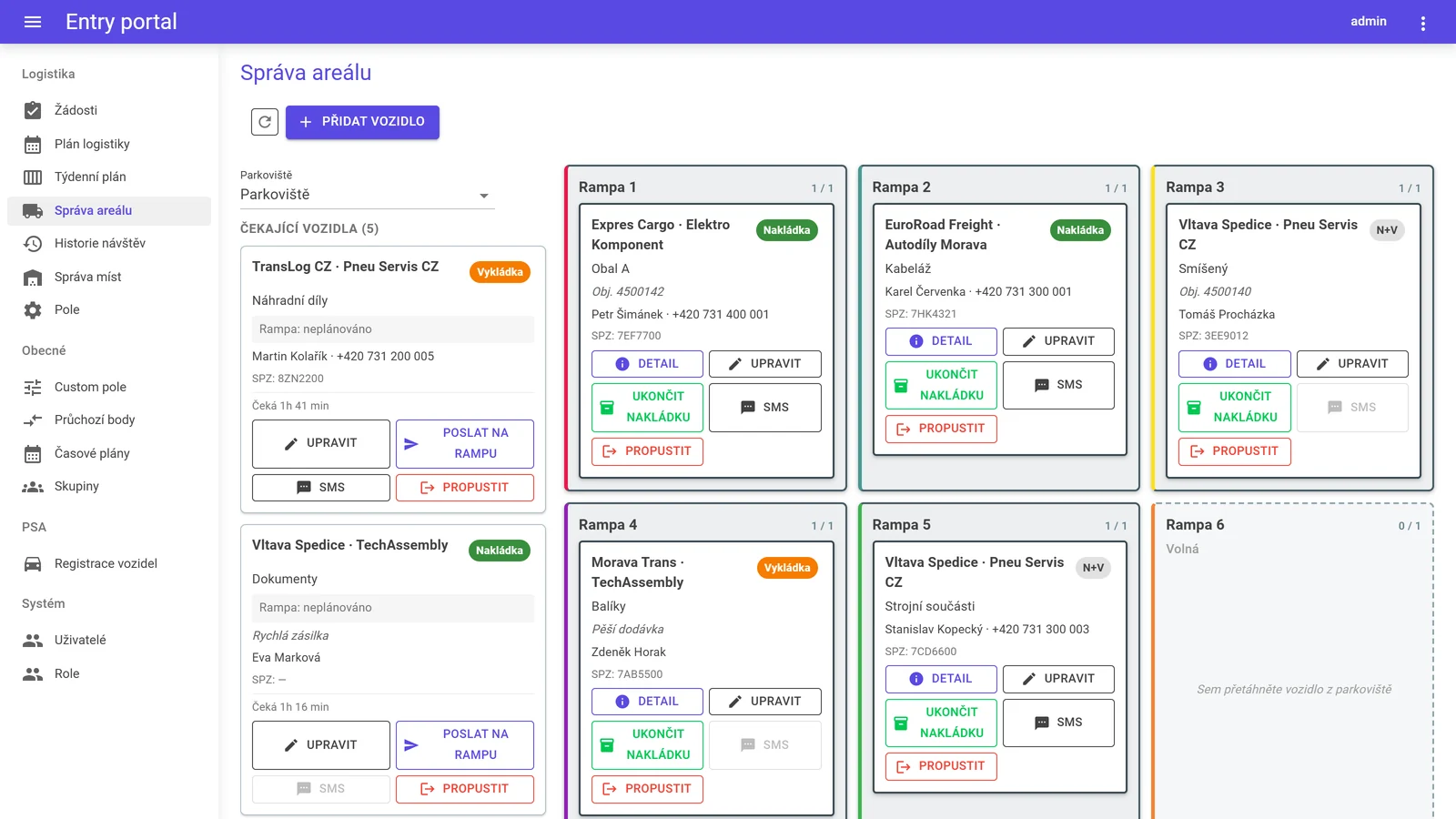
The logistics planner sees who is waiting and for how long, what is at which dock and what is free. A driver is called up with a single button — no ringing round, no leaving the office.

Through a public form with no login — they pick a day and a window whose length depends on the number of pallets, and fill in the licence plate, driver and load. The logistics planner approves the request and the driver receives a confirmation by e-mail and SMS.
You will see the real times: waiting before the dock, loading time and total time on site, derived from events. Add your own rates to price it — at last you will have the data for that.
No. When sent to a dock they automatically get an SMS with the dock number and their plate shows on the LED panel. The planner can send a manual message anytime.
Yes, the module runs on its own. ERP or WMS integration is optional and we always verify it against your system’s interface before promising it.
Yes. We will show you the module with commentary on your own scenarios — over a video call or on site; you can arrange a date on the Demo and presentation page.
We will walk you through the module with commentary, and through your operation too — number of docks, peaks, and where the queue forms today.